
How to divert Calls on SIP Trunks
There are 2 ways how to achieve this:
- Using your IP Phone to dial the codes (your PBX has to allow the codes to be processed, if your PBX cannot dial the codes, you need to contact your installer or look at your PBX manual. Usually the reason is that PBX reserves codes for internal use by default.)
*72 - IMMIDIATE DIVERT - Call Forward All Activate - User will be prompted to enter a number where Calls should be forwarded unconditionally.
*73 - IMMIDIATE DIVERT - Call Forward All Deactivate - Disables unconditional forward.
*52 - NO ANSWER - Call Forward No Answer/Unavailable Activate - User will be prompted to enter a number where Calls should be forwarded when Device or Callee is unreachable.
*53 - NO ANSWER - Call Forward No Answer/Unavailable Deactivate - Disables No Answer forward.
*90 - BUSY - Call Forward Busy Activate - User will be prompted to enter a number where Calls should be forwarded when Device is busy.
*91 - BUSY - Call Forward Busy Deactivate - Disables Busy forward.
______________________________________________ - By logging into your account and follow these steps
Login in the Control Panel

Click on LOGIN TO VOIP CONTROL PANEL

Once in the VoIP Control Panel
Click on PERSONAL DETAILS - DEVICES
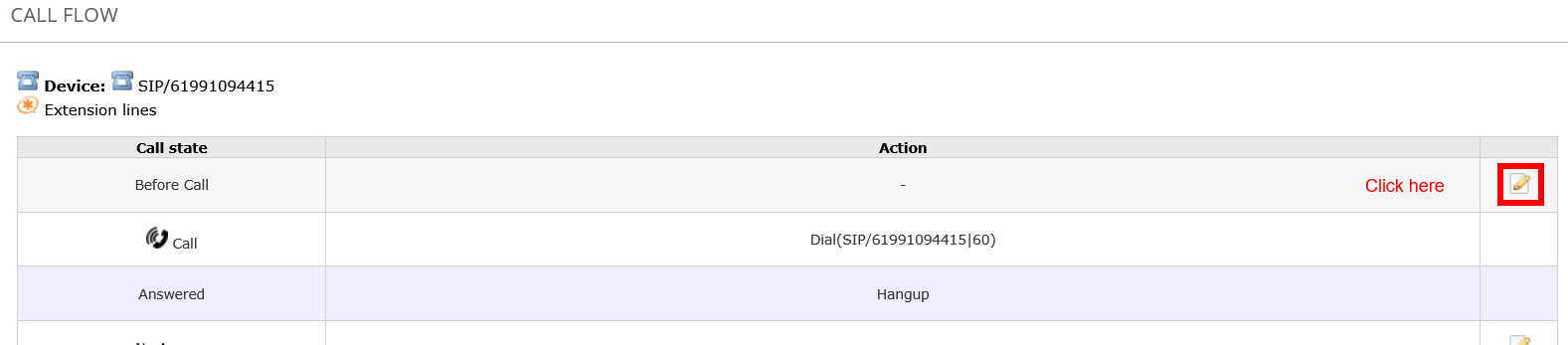
Click on the Icon as shown in the screenshot and follow all the steps.

You will then find 4 options:
- Before Call - means IMMIDIATE DIVERT
- No Answer - means that call will ring and after x amount of time you can DIVERT
- Busy - means 2nd call will be diverted (by setting this up you will lose the simultenious calls)
- Failed - means you can DIVERT when you lose Internet and Registration
In the example below we are using Immidiate Divert (adjust as you wish)

Entering phone numbers, can be entered in 3 formats:
For example you want to divert to your mobile phone with a number 04 1234 1234
- E164 - 61412341234
- 10N - 0412341234
- International format - 001161412341234
No Spaces allowed

Enter the information as per screenshot
Press on CHANGE when finished
You now have just setup the divert
----------------------------------------------------------------------------------------------------
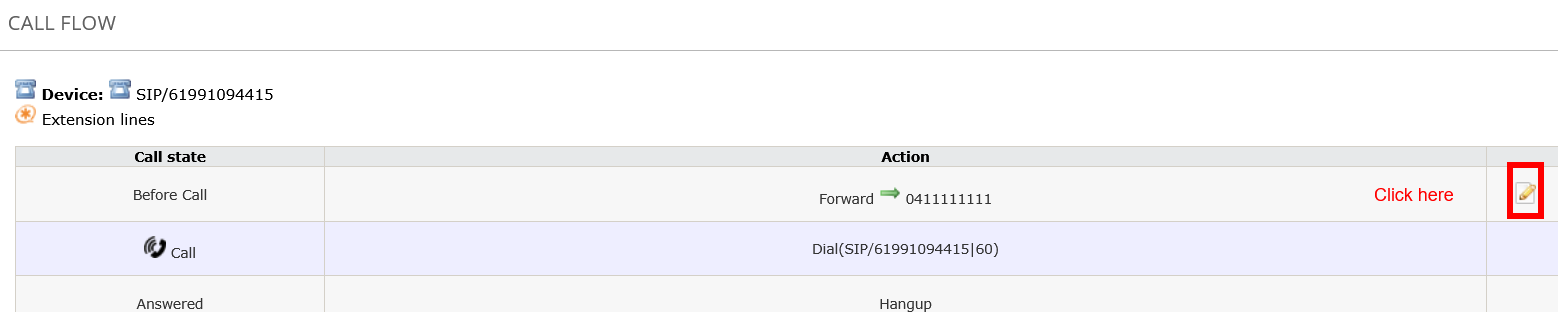
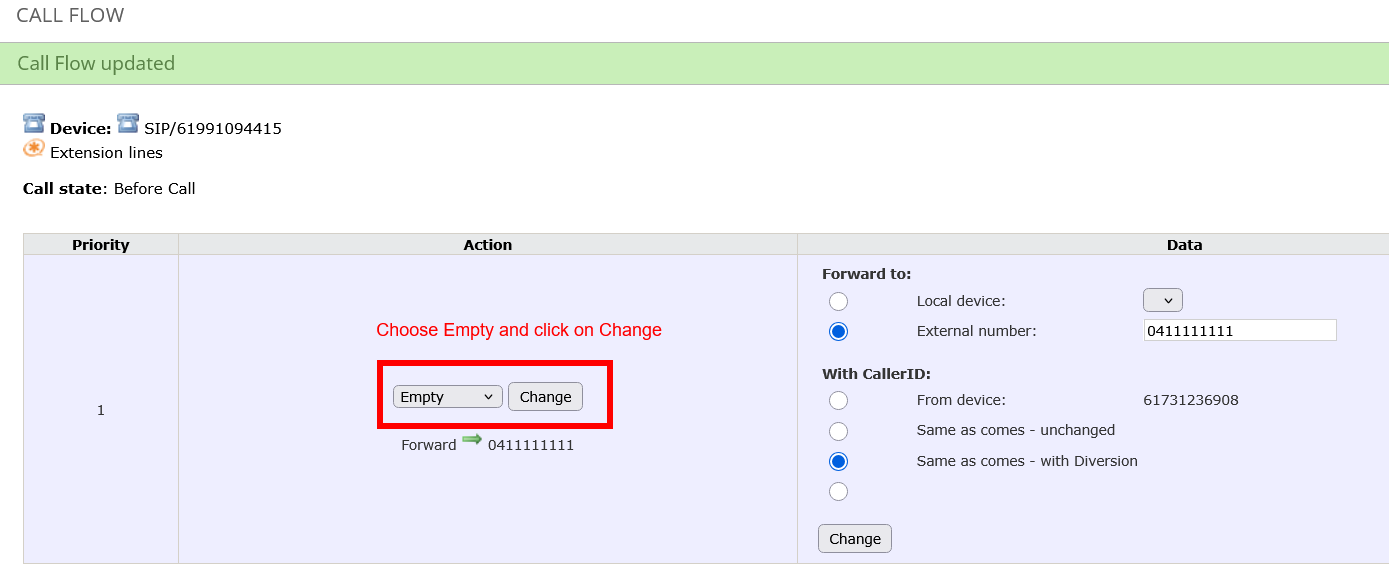
PS- To take the UNDIVERT when needed just follow this steps
IMPORTANT - If you are on a pre-paid plan, make sure you have enough credit for the diversion to work.
