
To recharge your VoIP account for call credit
Login in your Control Panel

Click on MORE DETAILS under the Account Balance Statistics and Recharge

Scroll down the page
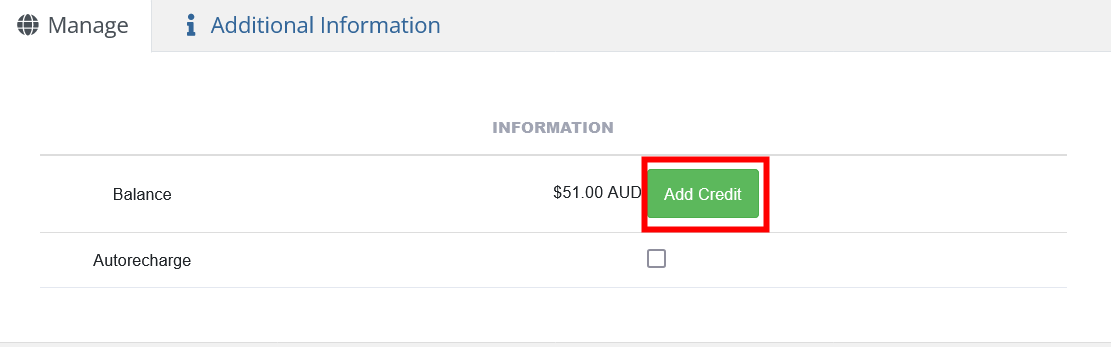
Then Follow the screen to make a payment.
Once Payment is done you WILL receive a PAID Receipt
- If you want to setup AUTO RECHARGE then follow these steps and DO NOT click on add credit, instead
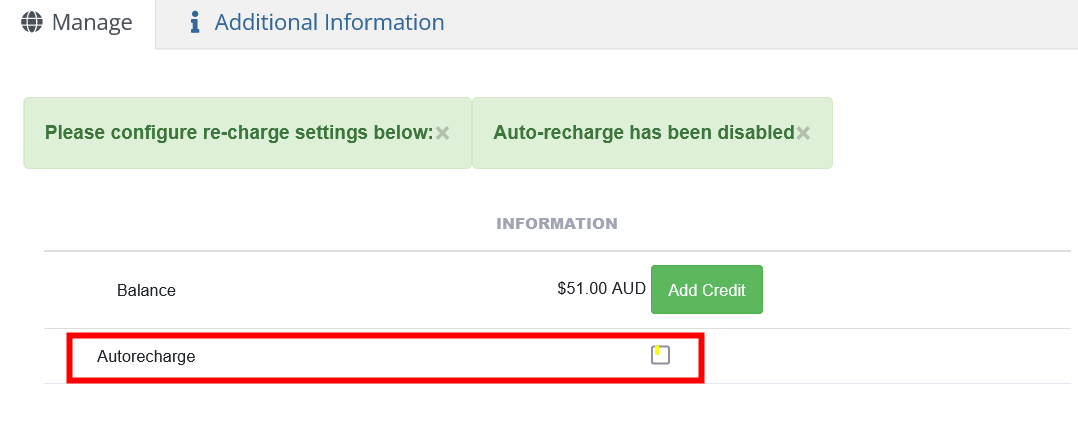
- Tick Auto Recharge
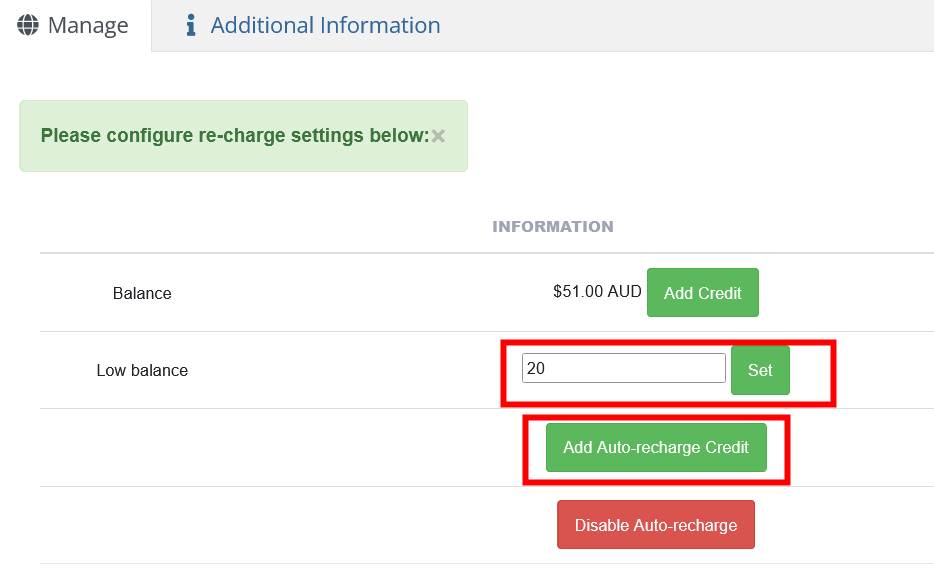
- Enter ammount in Low Balance and click on SET (you must click on SET to store that amount even if not changed)
- Click on ADD AUTO-RECHARGE CREDIT
- Follow the promts
PS - If you want to disable Auto Recharge just come back to the setting above at any time and click on DISABLE AUTO-RECHARGE
