
How To check the RATES
Module Account Access: Login here
Login: (Your Email Address entered when you signed up)
Password: (Your Password entered when you signed up)
- Scroll down to LOGIN TO VOIP CONTROL PANEL and Click on it
- (a new window will open)

To check your Rates
- Click on VARIOUS (left hand side menu)
- Click on SEARCH
- Enter Number to get Rate: (number needs to be entered in E164 format. For example a number for UK (+44528744326) you enter 44528744326
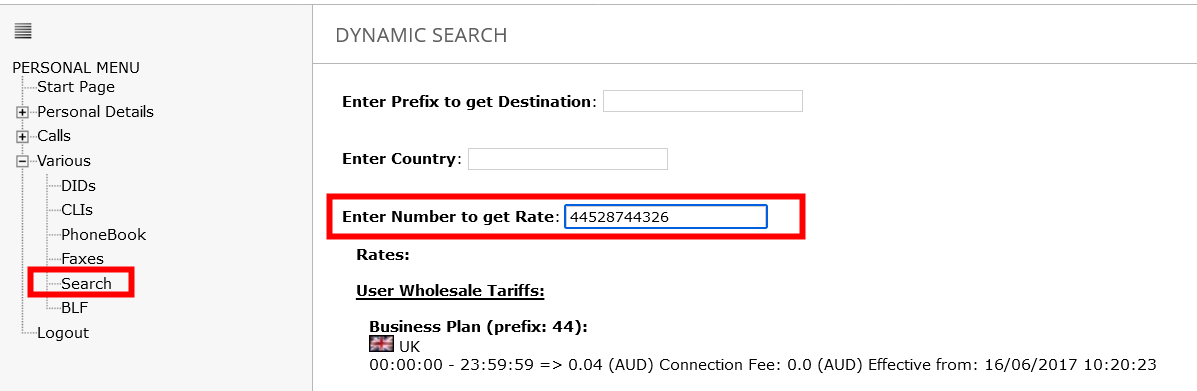
International rates are per minute, charged per second
