How to setup Opening Hours for a company (Time Conditions)
This feature is useful when you want to automate the opening hours of a Company Phone number.
In the example we will setup phone number 9100001111 to accept calls between 9:00am and 5pm. Anything after this time we will set to voicemail.
Follow this steps:
- Login into the Cloud PBX
- Click on TIMING
- Click on TIME CONDITION and click on ADD NEW

- Fill the details and CREATE
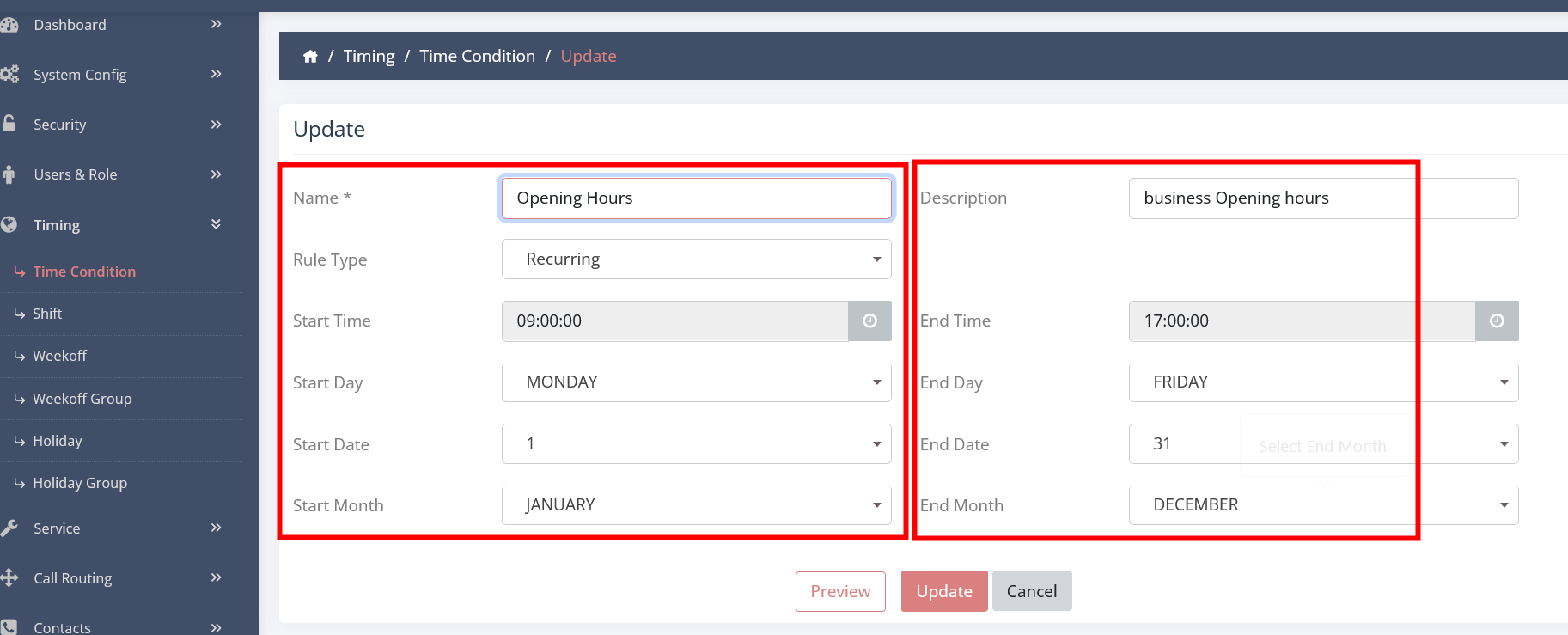
- Time condition is now created
Now we will map the phone number to the time condition
- Click on CALL ROUTING
- Click on DID ROUTING
- Edit DID (Phone number)
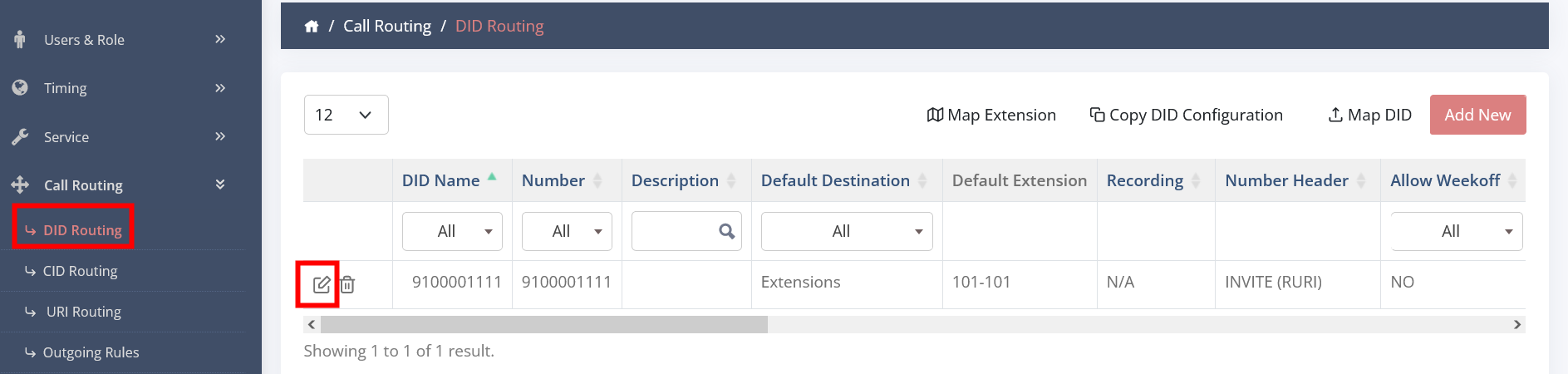
- Go down the page and Click on ADD INBOUND RULE
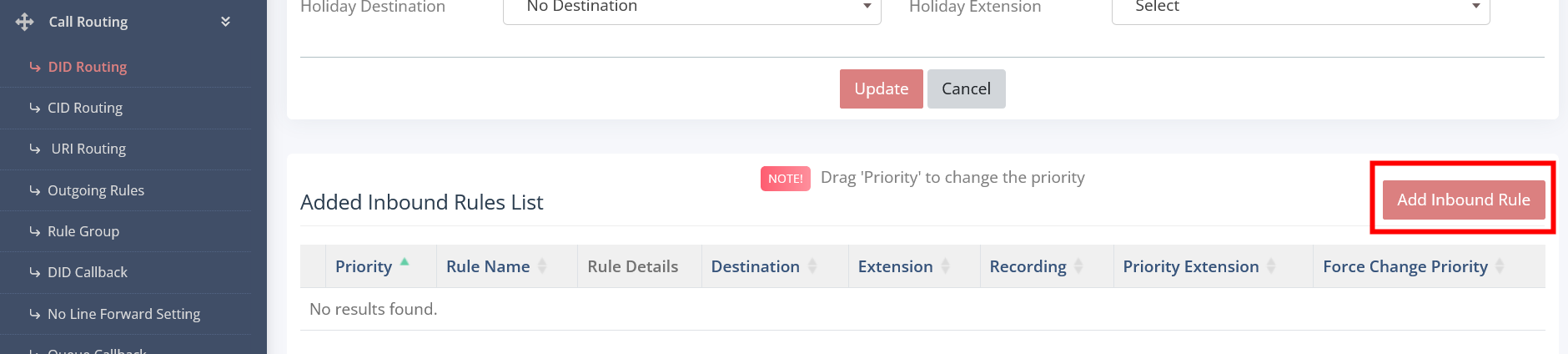
- Fill in the details as shown in the next screenshot (do not change anything else)
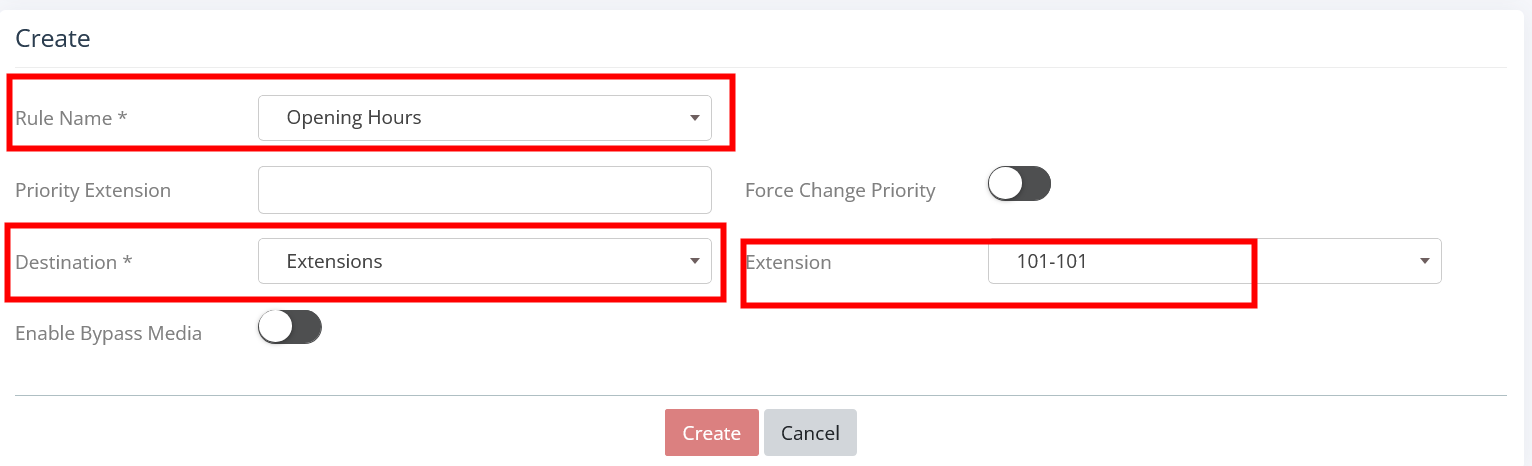
- Click CREATE
-
- On that page you will now see the rule linked to the opening hours at the bottom
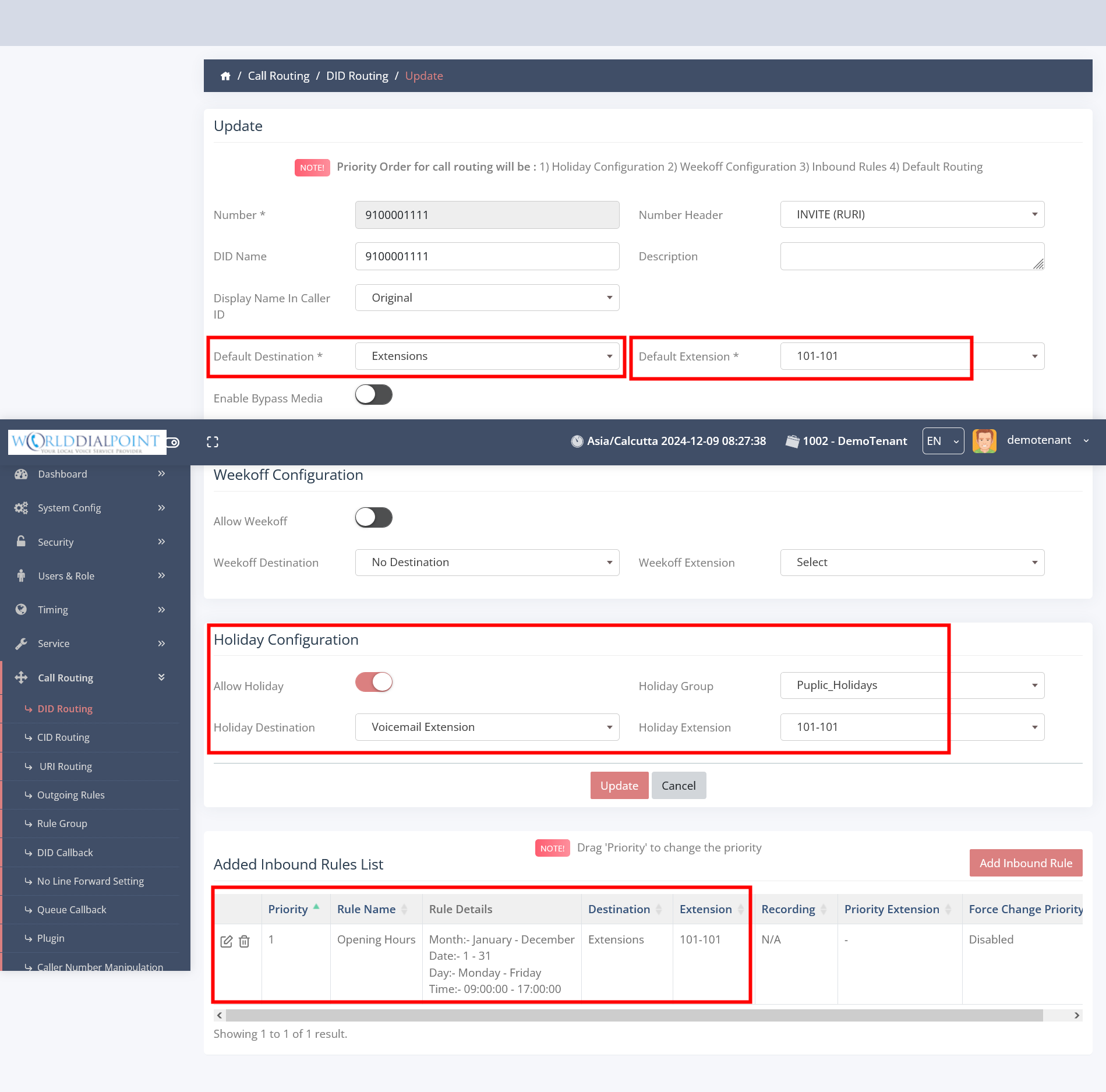
- Now you have the phone number linked to everything (Incoming call goes to rule OPENING HOURS, if Publick Holiday it will follow the above rule and anything else will follow the DEFAULT RULE on top)
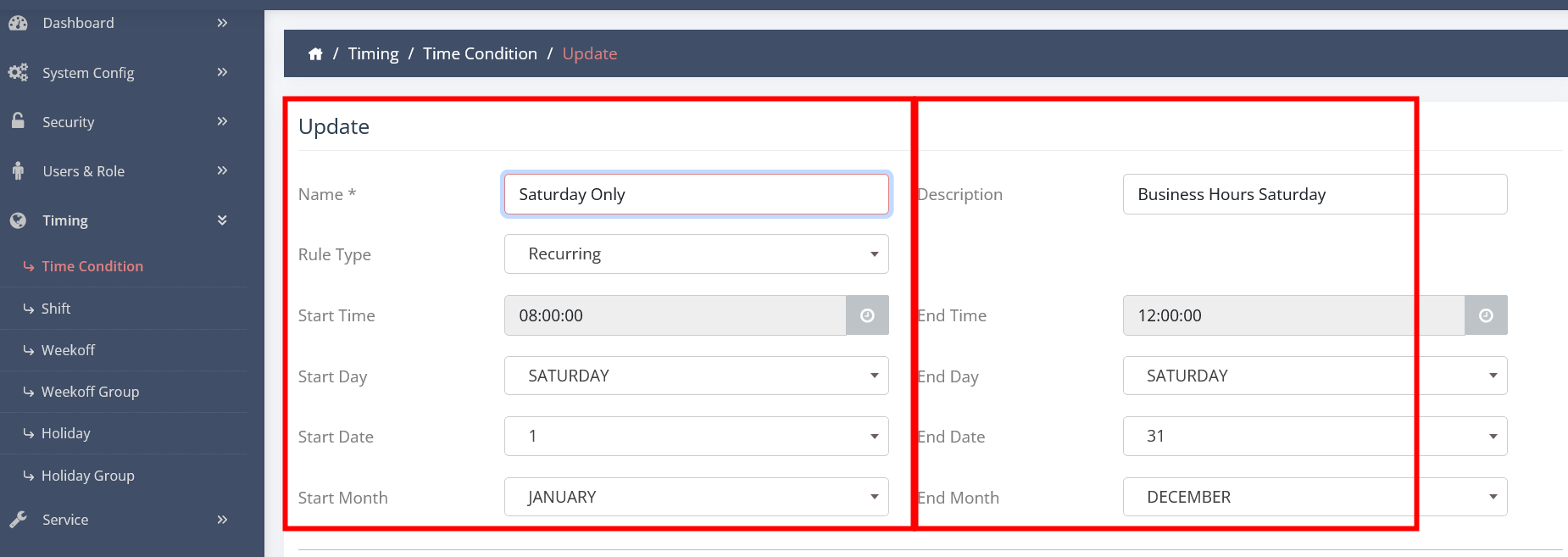
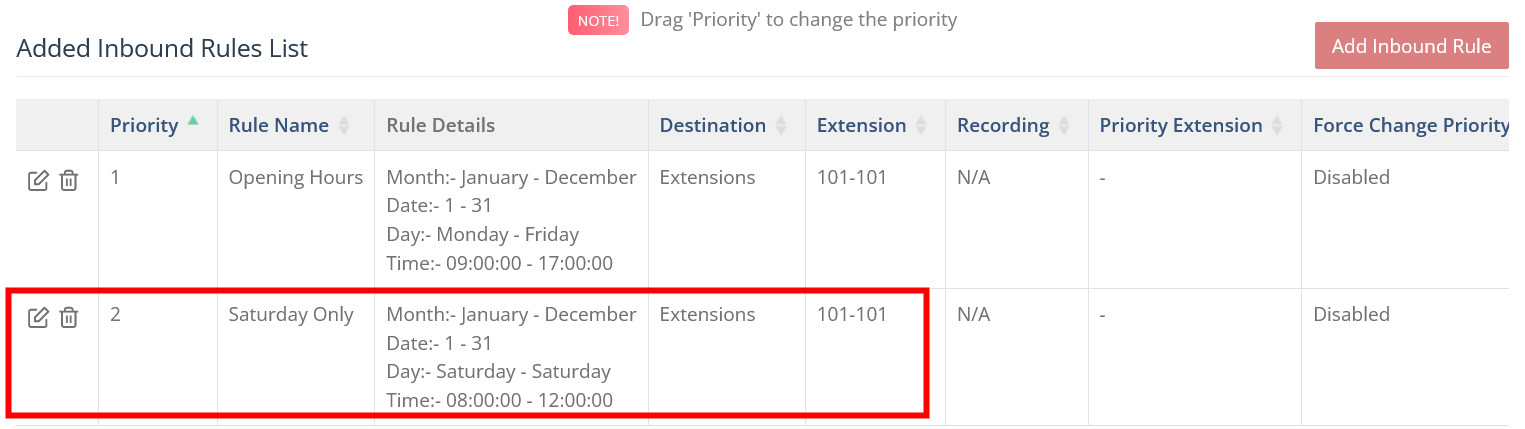
PS - You can add multipe rules doing other rules and move them around. For example you open on Saturday for only 4 hrs. Create a NEW time Condition for Saturday only. Then link it by adding a NEW (ADD INBOUND RULE).
Screenshot example to add Saturday