
DSS Keys - How to Setup Parking Slots (Park and Unpark a Call) using a DSS Key
Login into your IP Phone
Locate the DSSKEYS
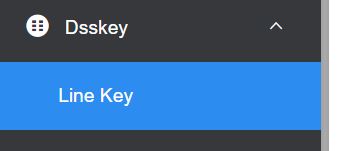
Find an avialable free button
Choose from the drop down menu CALL PARK
Name it
In the Value enter - park+(tenant id and parking slot)
Parking slots needs to be 4 digits (eg. 8011 / 8012 / 8013 etc...)
To find you tenant number, log into the Cloud PBX (top right hand corner)

For example your Tenant ID is 1001 and parking slot to use is 8011 you enter park+10018011

To add an other CALL PARK repeat the above steps but this time use a different slot number. eg 8012
If by any chance, if you haevily modified the IP phones check this settings is correct:
TRANSFER MODE VIA DSS KEYS is set to BLIND TRANSFER. This setting is usually found under some heading TRANSFER

IMPORTANT - If your Yealink Phone is Auto Provisioned by us, the above feature is set to OPTIONAL. This is becuase we also use DSS Keys to Monitor extensions / Pickup calls and Transfer calls. Do NOT change. If your IP Phone gives you that option, you can also setup as OPTIONAL.
Next step is to setup all the phones the same way.
Now you can Park and Unpark calls using DSS Keys
