
Hotel Module with Wakeup call
(add-on module) contact us to add
Login into the Cloud PBX
- Service - Extension - Edit Extension
- Activate Wakeup Call for all extensions
- Activate - Front Desk (only activate this feature if that extension is going to be a Receptionist Phone)
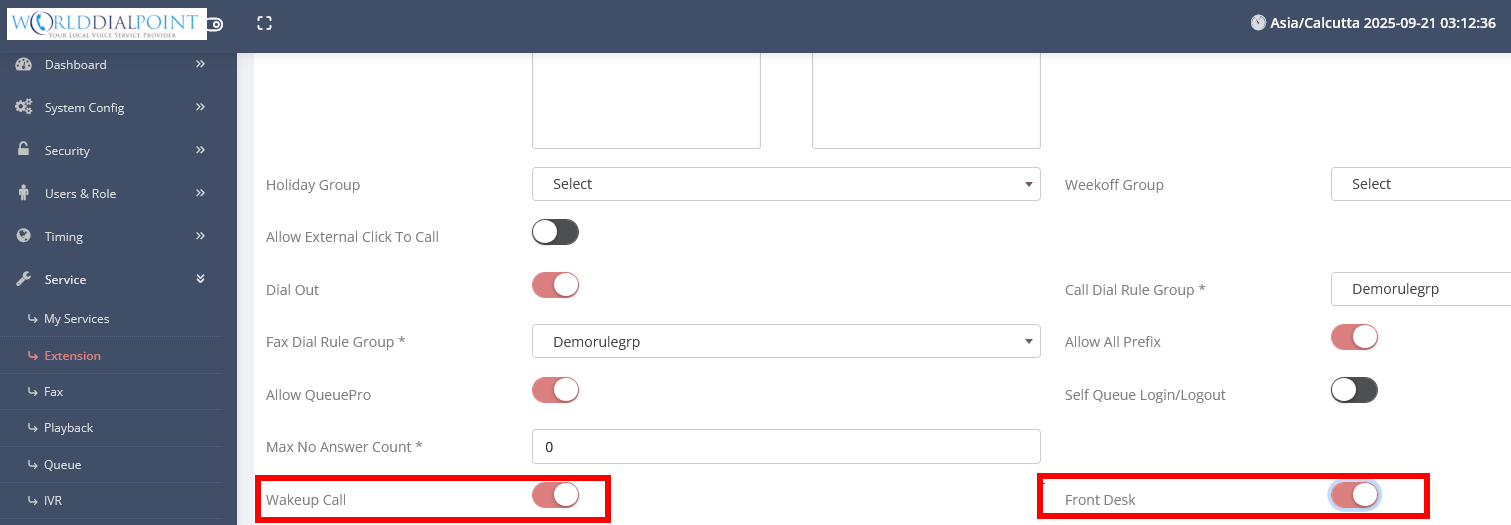
- Save
Next Upload a prompt
- System Config - Voice Prompt - Add New

- Add a prompt
Next you need to configure the Wakeup call feature
- Service - Wakeup Call
- Wakeup Extension - Enter a 6 digit number (enter any number you like in the screenshot we used 884422)
- Language - English
- Wakeup Prompt - Choose your Prompt
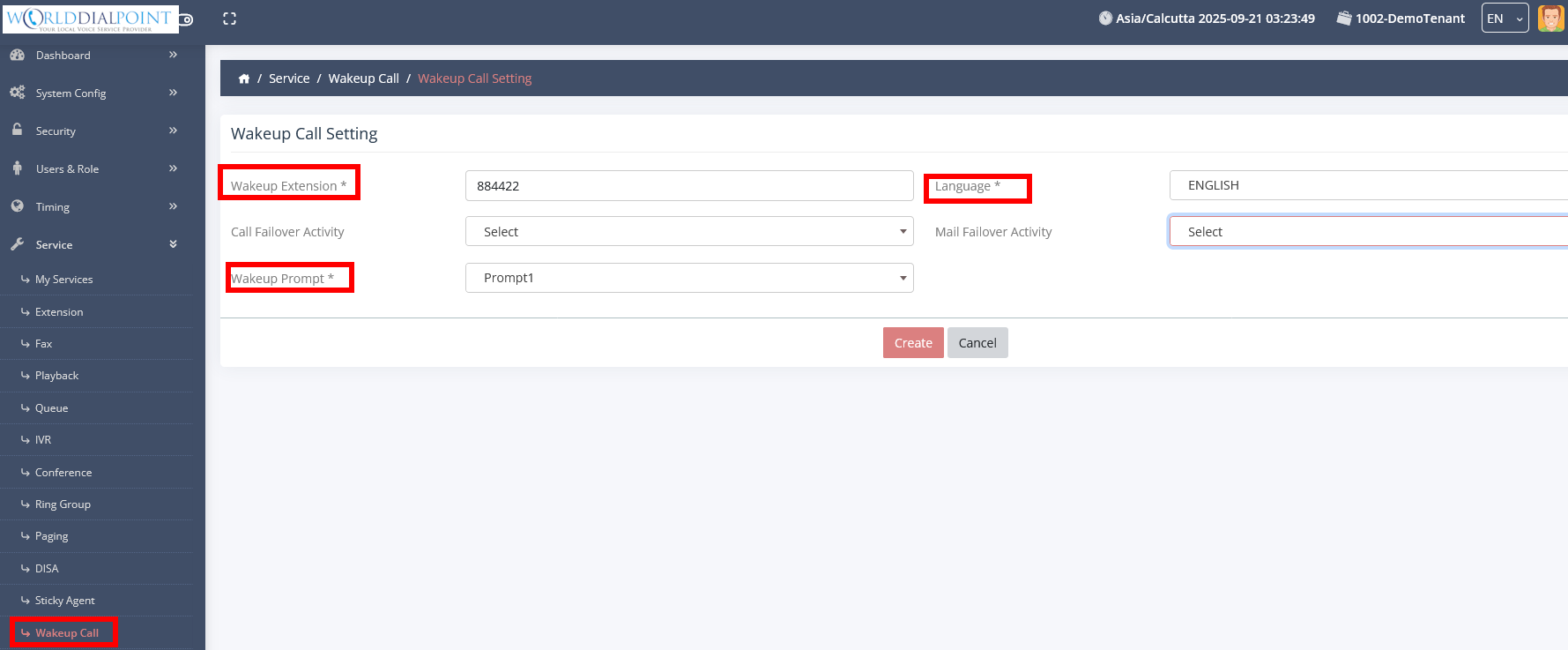
- Create
You have now setup Wakeup Call
To program a wakeup call from the phone, just dial the number previously programed in this case it is 884422 from an IP phone.
Wakeup call will then ask you to enter a time within the next 24 hrs.
